
Floyi 2.17.0
The Topical Audit now tells you which missing topics to write first, with search volume, and audits the exact pages you paste in
A Topical Audit used to end with a list of missing topics and no way to tell which ones mattered. Now every missing topic sits in the hierarchy where it belongs, rated by how much it would strengthen what the site already covers, with the searches behind it. And when a sitemap or crawler gets blocked, you can paste the page list yourself and audit exactly those pages. Plus: Funnel Stage and Search Intent you can edit in the Planner, reusable image prompts with quality control, and briefs that say whether your brand is in the article.
🎯 Topical Audit: Priority Topics - Write Next
The Insights section now opens with the 15 missing topics to write first, ranked by topical priority based on what the site already covers, then by searches. Each one shows where it belongs in the hierarchy, why it got its priority, every way people search for it with the monthly volume, and how people might prompt AI about it.
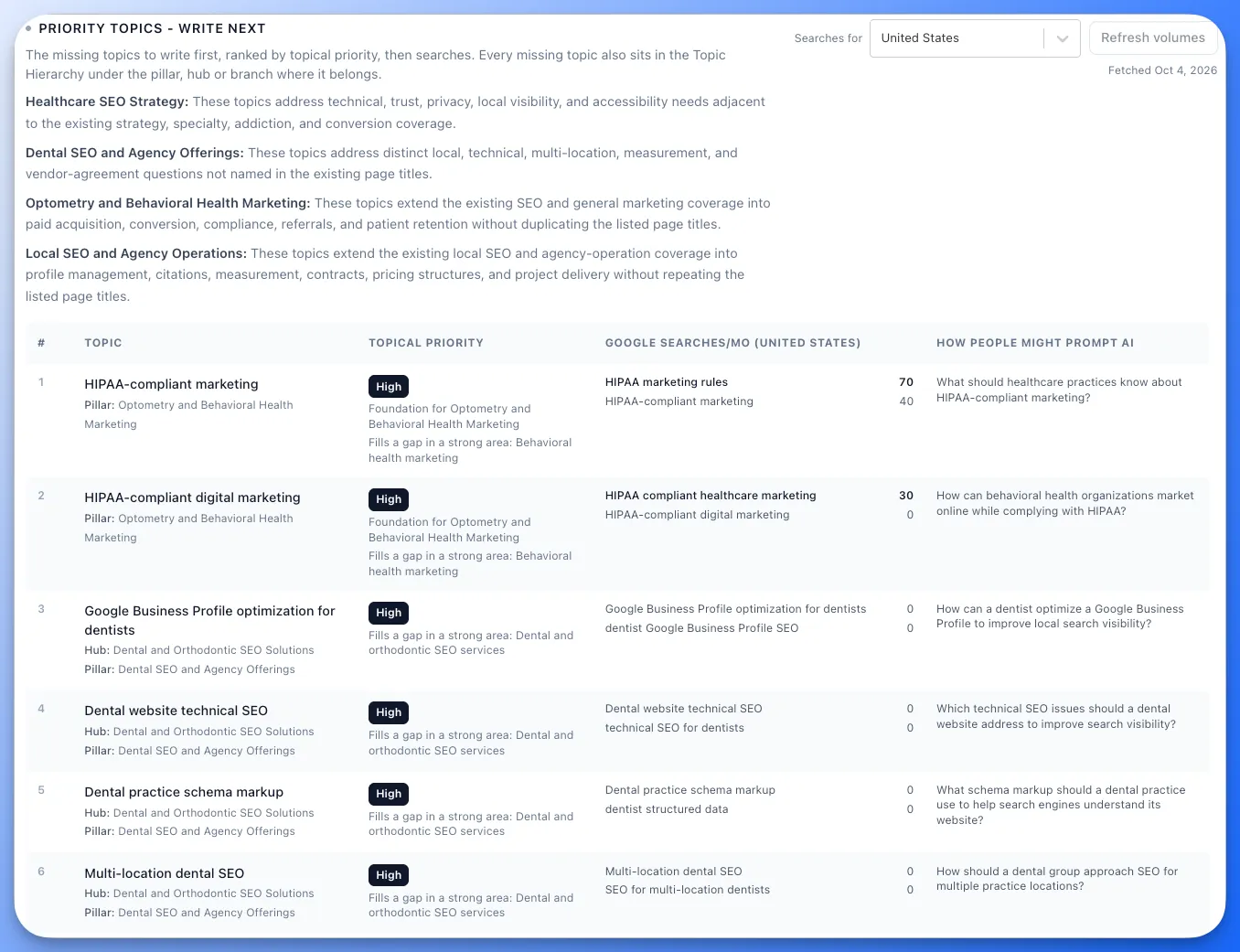
- Topical priority with reasons: every missing topic is rated High, Medium or Low by how much it would strengthen the site's existing coverage, such as being a foundation for a pillar or filling a gap in an area the site is already strong in. Search volume never changes the priority.
- Every search, every volume: each topic is looked up as its name plus the short phrases people actually type. You see all of them with their monthly search volume, not just one number.
- How people might prompt AI: each topic includes the question someone might ask an AI assistant about it, so you can write for AI search too.
🌳 Topical Audit: Missing Topics In The Hierarchy
Missing topics no longer live in a separate list. Each one sits in the tree under the pillar, hub or branch where it belongs, so you see the gap in context.
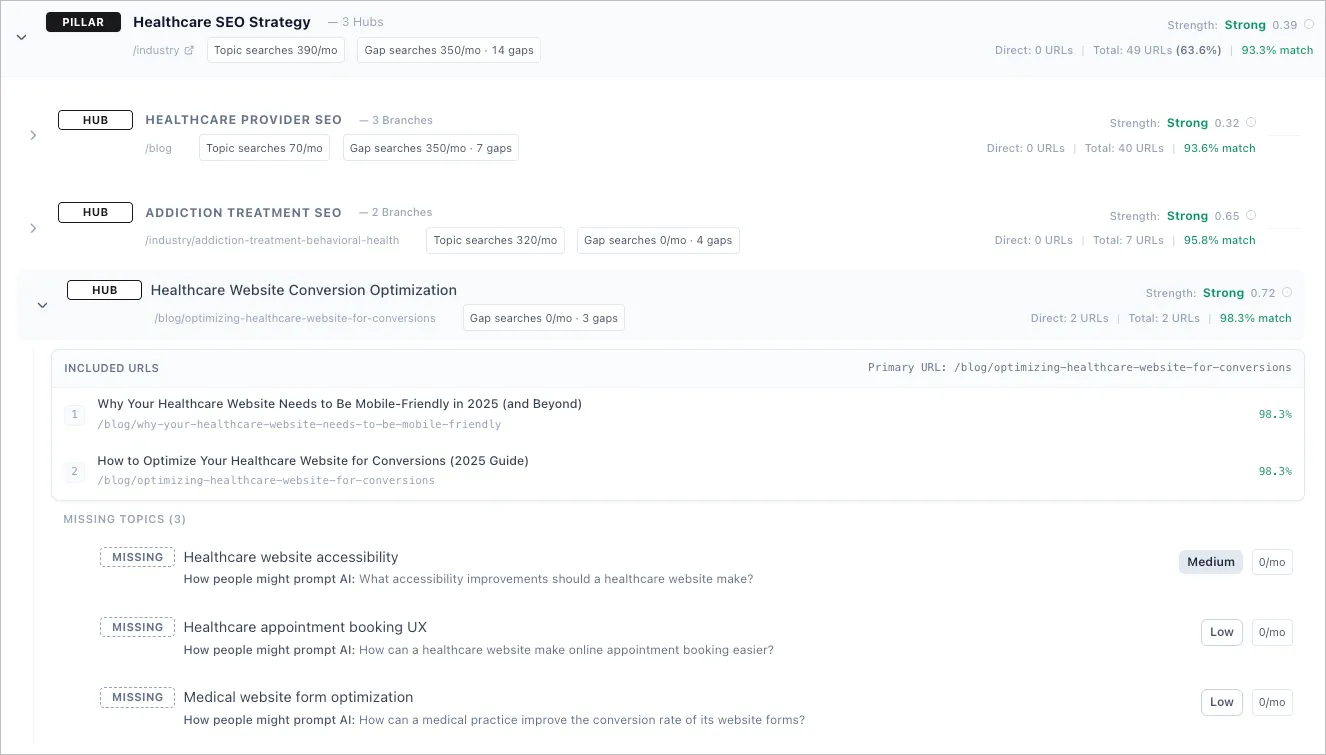
- Topic searches and Gap searches: every pillar, hub and branch shows the monthly searches for its own name and the total for the missing topics under it. Hover either one to see the searches and gaps behind the number.
- 45 countries: pick the country for search volume before the audit starts, or switch after. Countries you have already fetched switch instantly, and each shows when its volumes were fetched. The first lookup is included. Fetching more countries uses credits, and the button shows the price before you click.
- Clearer Insights: Topical Strengths and the other summaries now read one line per pillar, with the pillar name in bold.
📋 Topical Audit: Paste URLs (New)
Sometimes the sitemap is incomplete, the crawl misses pages, or a firewall blocks both even though the pages load fine in a browser. Paste URLs lets you list the exact pages to analyze, and Floyi fetches only those pages, with no sitemap lookup and no link-following crawl.
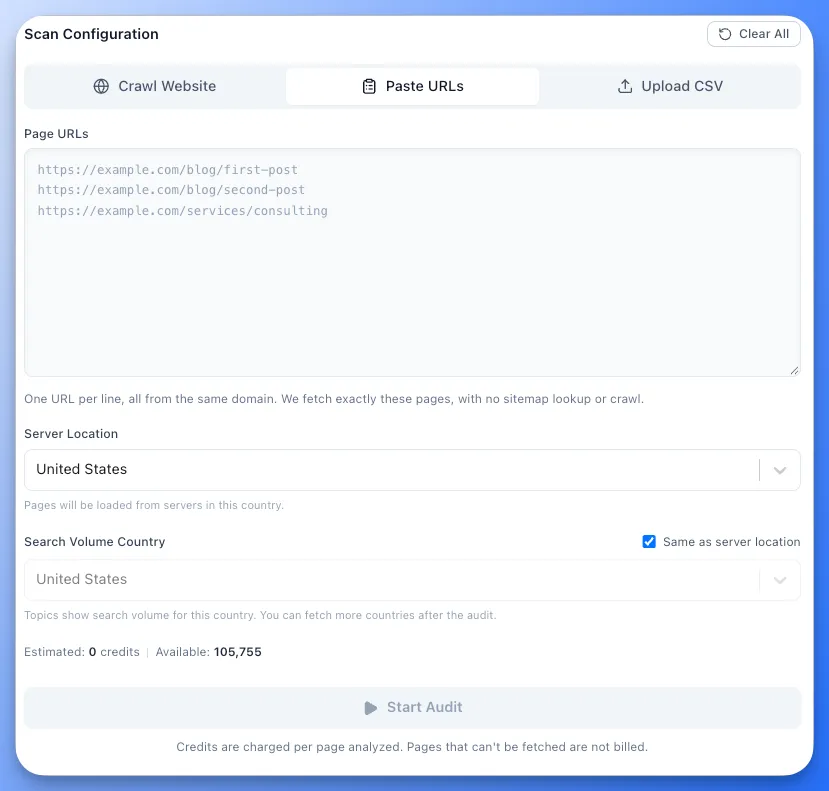
- Get past blocked sitemaps: when bot protection blocks the sitemap or the crawler, paste the list from a CMS export, Google Search Console or your own crawler and the audit runs anyway.
- See the cost before you start: duplicates are removed, invalid lines are flagged, and the page count and credit estimate update as you paste. Pages that can't be fetched aren't billed.
- Same hierarchy as a full crawl: the pasted pages are grouped into the same pillars, hubs, branches and resources, with the same insights and missing topics.
📤 Exports & Reports
- Every export matches the app: Excel, Google Sheets, CSV, Markdown, PDF, Word, Google Docs and HTML reports now include Priority Topics - Write Next, the full Missing Topics list with priority and searches, and Topic and Gap searches for every topic in the hierarchy.
🧭 Topical Authority Planner: Edit Funnel Stage And Search Intent
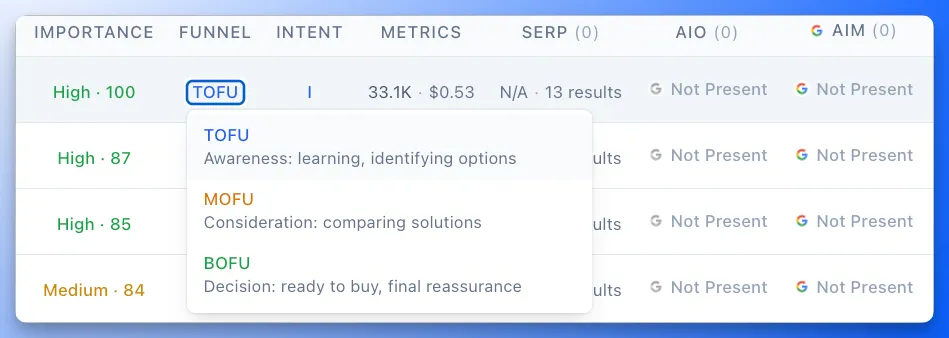
- Funnel Stage and Search Intent you can change: click either value on a Planner row and pick a new one from the menu. You know your buyers best, so set each topic to match how you sell and your filters and plans follow. Values you set are marked as yours, and they help Floyi label the brand's new topics more accurately.
- More accurate funnel stages: funnel stages now take your brand and audience into account, so fewer topics need fixing in the first place.
- Briefs · Drafts in the Organizer: the Organizer table shows how many briefs and drafts each topic has, so you can see what's already in progress while you restructure the map, without switching tabs.
🖼️ Article Images: Reuse Prompts And Choose Quality

- See the prompt behind every image: open an image in the lightbox to see the prompt that made it and copy it in one click.
- Build on what worked: Generate more brings back your previous prompts, so you can tweak one and run it again or start fresh.
- Choose GPT Image quality: pick Low, Medium or High, with the credit price shown for each. Save higher quality for the images that matter most.
📝 Content Briefs: Brand In This Article
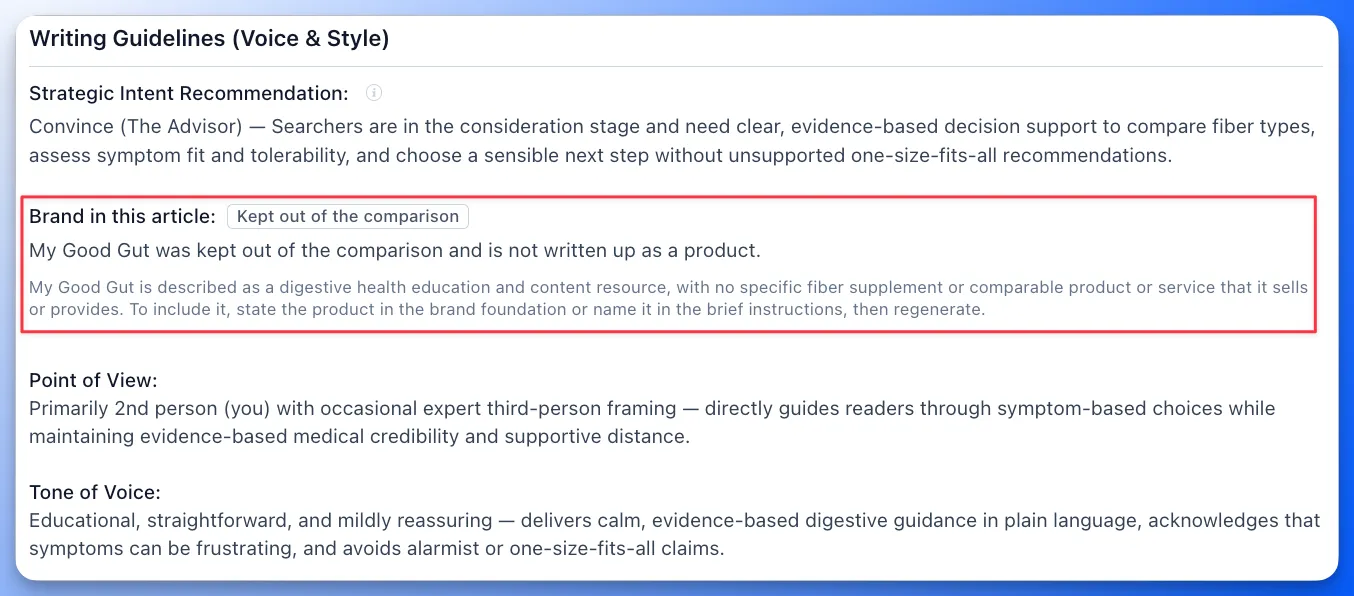
- Know where your brand stands before you write: commercial-intent briefs now say whether your brand is included in the article and why, so writers don't have to guess.
🛠️ Performance Improvements & Fixes
- Various performance improvements and bug fixes across the platform.