
Floyi 2.11.0
Ahrefs Domain Rating in Topical Authority, Topics Gained & Lost Tracking, Custom Anchor Text in Briefs
Topical Authority tables now show Ahrefs Domain Rating alongside your competitor data, and the Top 10 Rankings, Top 20, and AI Search Response modals reveal exactly which topics you gained and lost between refreshes. Content brief generation adds custom anchor text creation with AI-powered suggestions, giving you full control over your internal linking strategy from the brief stage.
📊 Ahrefs Domain Rating — Topical Authority
Your competitor analysis now includes a key off-page authority signal. Ahrefs Domain Rating (DR) appears directly in the Topical Authority tables, so you can see backlink strength alongside ranking positions, visibility scores, and AI search presence without switching to a separate tool.
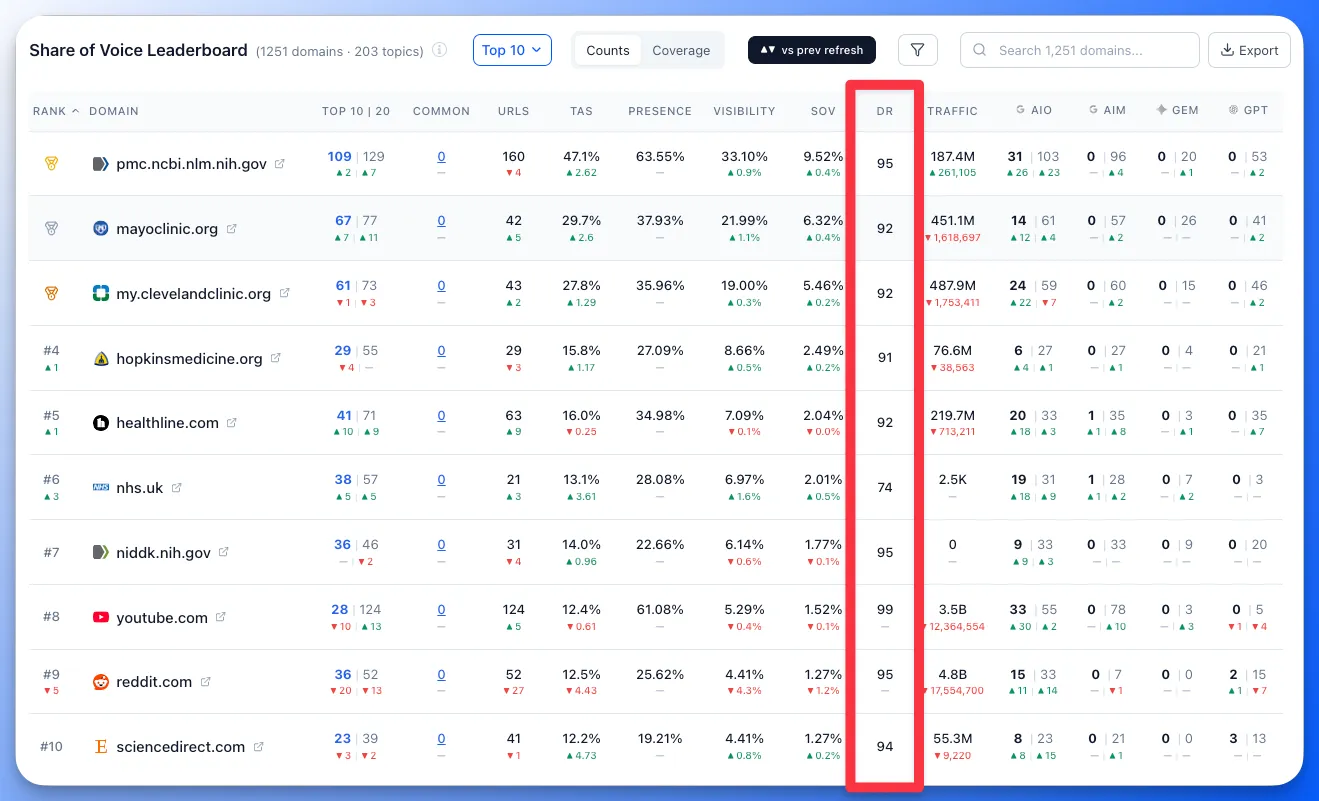
- DR in the Share of Voice Leaderboard and competitor tables — see each competitor's Domain Rating at a glance alongside their topical authority score, visibility, and share of voice.
- Context for your rankings — understand whether a competitor outranks you because of better content coverage or stronger backlink authority, so you can prioritize the right response.
📈 Topics Gained & Lost — Top Rankings & AI Search
The Top 10 Rankings, Top 20 Rankings, and AI Search Responses popup modals now show which topics you gained and lost between refreshes. Instead of just seeing a count change, you can see the specific topics that moved in or out — across SERP rankings and all tracked AI engines (AI Overviews, AI Mode, ChatGPT, and Gemini).
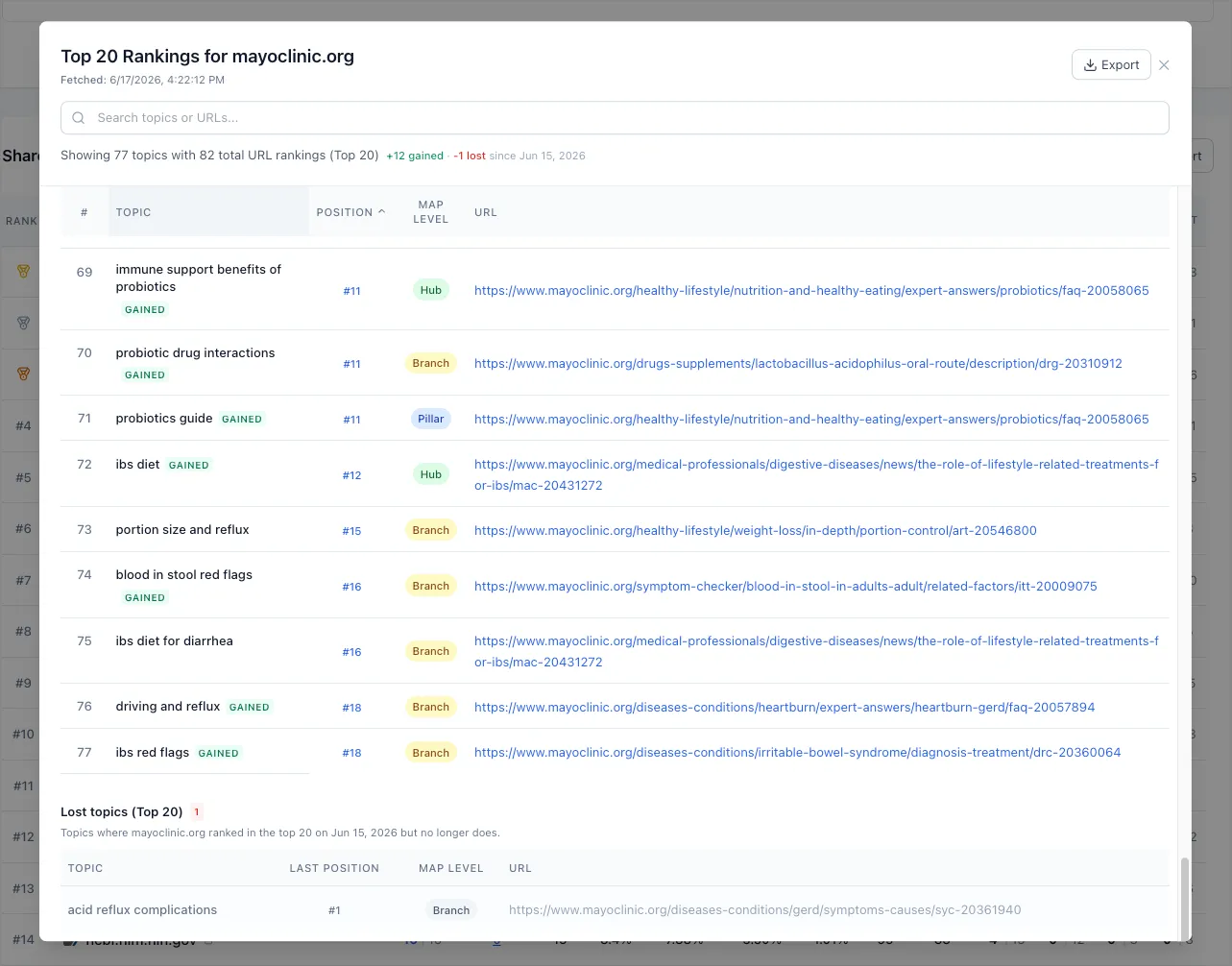
- Gained topics — topics that entered your Top 10 or Top 20 rankings, or started appearing in AI search responses since the previous refresh.
- Lost topics — topics that dropped out of your Top 10, Top 20, or disappeared from AI search responses, so you can investigate and respond quickly.
- Works across all AI engines — gained and lost tracking applies to AI Overviews, AI Mode, ChatGPT, and Gemini response modals.
🔗 Custom Anchor Text — Content Brief Generation
Anchor text for internal links is generated during the topical map phase and managed in the Planner's topic details panel. Previously, if you needed more anchor options while generating a brief, you had to close the brief generation modal, navigate to the Planner, update the anchors, and start again. Now you can create custom anchor text and generate AI suggestions directly within the brief generation flow.
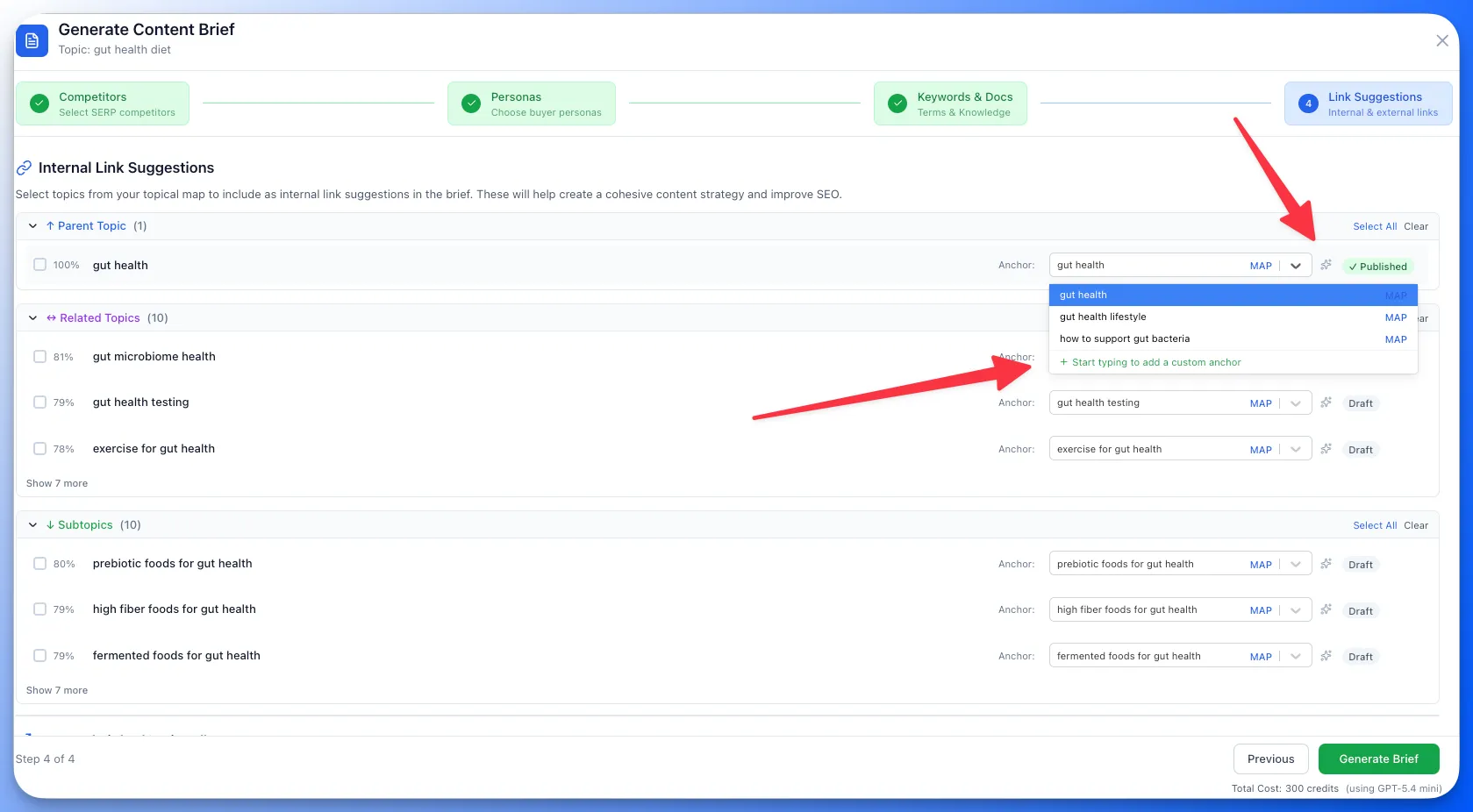
- Custom anchor text — add your own anchor text options for any internal link directly in the brief generation modal. Your custom anchors are saved and available to draft agents alongside existing map-derived and AI-generated options.
- AI anchor generation — generate new anchor text suggestions with AI without leaving the brief generation flow. The AI considers the target topic, your brand voice, and the linking context to suggest natural phrasing.
🛠️ Performance Improvements & Fixes
- Various performance improvements and bug fixes across the platform.