
Floyi 2.0.0
Floyi 2.0 brings a cleaner interface, faster sign up and login, and a stronger Authority Planner.
The goal is simple. Make it easier to run a closed loop content system from brand to published content and back to rankings and AI search data.
Watch the 2.0 walkthrough covering the competitor matrix, design refresh, and real examples.
🔐 Sign Up and Login
- Google sign in – Sign up and log in with your Google account. Fewer passwords, faster access to your workspace.
- If your existing account is a Google email (Workspace or gmail), you can log in with that and it syncs with your current account.
🎨 UI and UX Redesign
- Cleaner sidebar and layout – The app has a refreshed, more modern layout. Navigation from Brand Foundation to Authority Planner is simpler and easier to scan.
- Clearer hierarchy and typography – Headings, labels and status states are easier to read so you can see where each topic, brief and draft sits in your flow.
🧮 Topical Competitor Matrix (Pro and Scale)
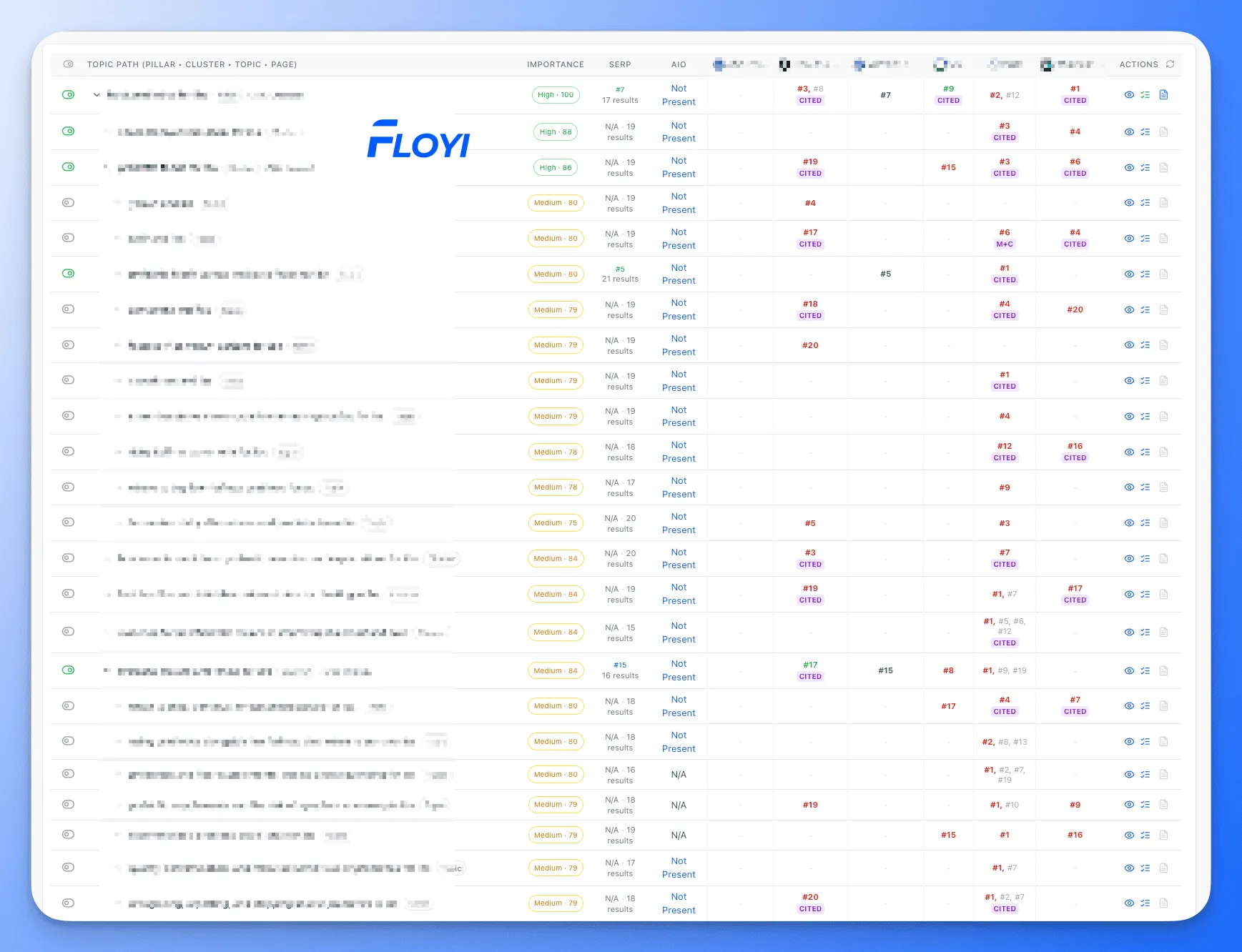
- See how each competitor covers your topical map, rankings and AI Overviews.
- Competitor coverage of your topical map – See how each competitor covers your topical map, not a generic industry keyword list. You focus on topics that matter to your brand and audience.
- Color-coded ranking comparison – Quickly spot where competitors outrank you and where you lead. Red highlights positions where they win. Green highlights positions where you win.
- AI overview mentions and citations – Track where competitors are mentioned or cited in AI overviews alongside your own presence.
- Exportable matrix – Export a single spreadsheet that includes your topical map, your rankings, AI mentions and competitor metrics.
📈 Topical Authority Planner
- Multi-ranking detection per query – See when your domain ranks multiple URLs for the same search query. Catch cannibalization and spot extra wins that sit lower on page one or page two.
- Same-URL, multi-position tracking – See when the same URL holds more than one position for a query. Understand which snippets or sections Google prefers.
- One-click SERP access – Open the live SERP from any ranking row. Check the result in context without leaving the planner.
⚙️ Account, Billing and Model Settings
- Multi-tab account settings – Account overview, billing and credits, plan management, security and notifications each have their own tab. No more long, single settings page.
- Clear credit and model view – See your current AI model selection and remaining credits at a glance. Adjust models and watch usage without hunting through the UI.
- Notification indicator – New Notifications design highlights new updates so you do not miss product changes.